---
title: "Twilio Authy"
description: "Enable secure multifactor authentication with Twilio Authy in Cloud CMS. Configure API settings for robust protection. (Gitana 4.0)"
product: "Gitana"
version: "4.0"
url: "/documentation/gitana/4.0/engine/mfa/providers/authy"
---
# Twilio Authy
Cloud CMS supports [Twilio Authy](https://www.twilio.com/authy "Twilio Authy") for Multifactor Authentication.
To configure Authy, you will need to supply the following:
- `apiUrl`
- `apiSecret`
These values are available from your Authy Settings page.
## Service Descriptor
If you're adding an Authenticator via a Service Descriptor:
- the Descriptor Type should be `TWILIO_AUTHY`.
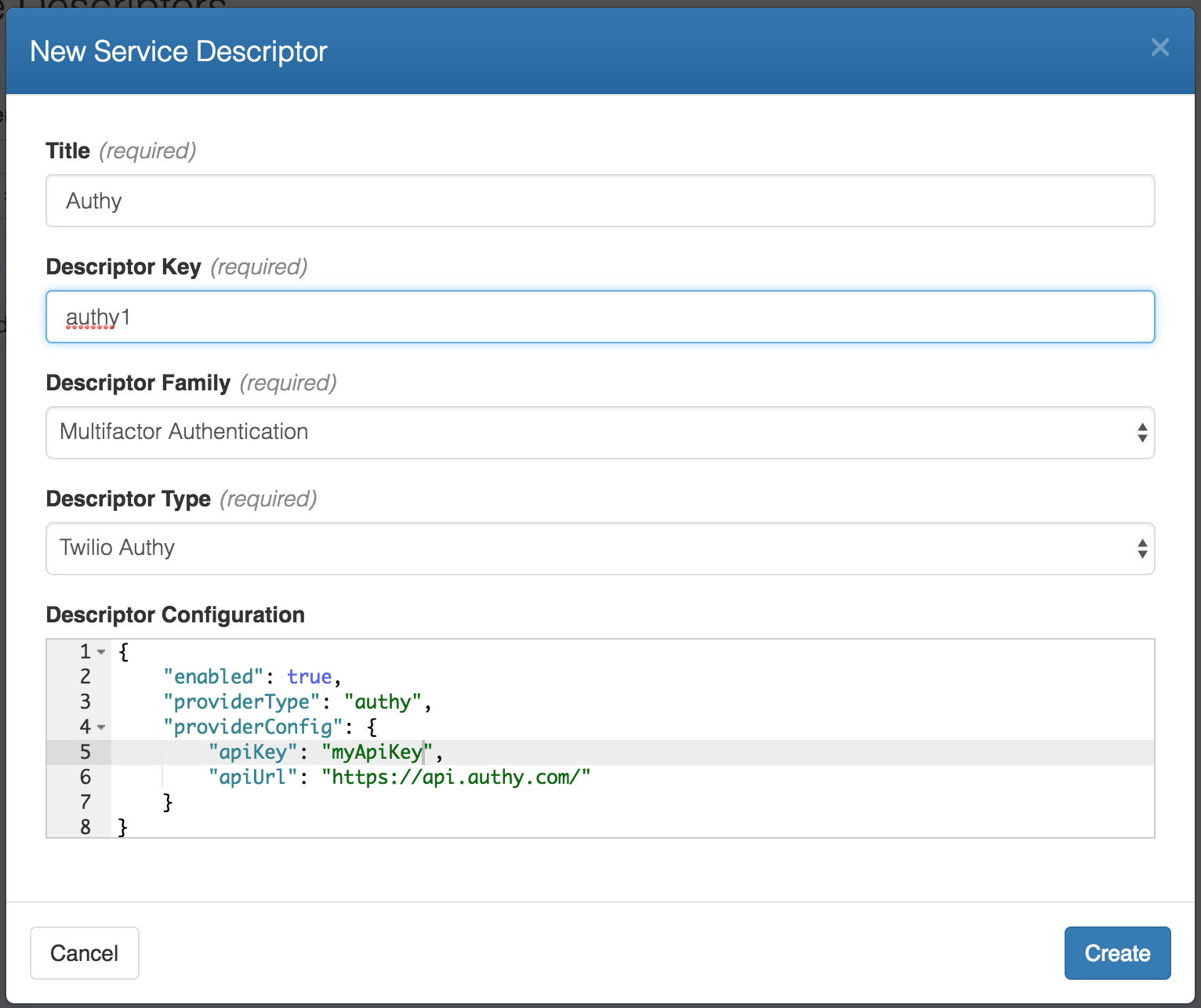
- the Descriptor Configuration should look like this:
```
{
"enabled": true,
"providerType": "authy",
"providerConfig": {
"apiKey": "MY_API_KEY",
"apiUrl": "MY_API_URL"
}
}
```
Where
- `MY_API_KEY` (required) is your Authy API Key
- `MY_API_URL` (optional) is your Authy endpoint URL (default is `https://api.authy.com`)
Here is a screenshot of some sample settings:
## Global Settings
You can set up system-wide Authy configuration by adjusting the following in your `docker.properties` file:
```
org.gitana.platform.services.authenticator.authy.apiKey=
org.gitana.platform.services.authenticator.authy.apiUrl=
```
These settings will be used for any system-defined or service descriptor-defined Authenticators that do not provide these values.
## System Authenticator
You can also instantiate system Authenticators like this:
```
MY_AUTHENTICATOR_ID
MY_API_KEY
MY_API_URL
```
Where
- `MY_API_KEY` (required) is your Authy API Key
- `MY_API_URL` (optional) is your Authy endpoint URL (default is `https://api.authy.com`)
The `MY_AUTHENTICATOR_ID` value must be unique across all Authenticator instances for a given type.
These Authenticators will be available to your platform and can be defined and maintained within your Spring config.
## Authy Binding Properties Factory
Use the `AuthyAuthenticatorBindingPropertiesBeanFactory` bean to create Authy-specific binding properties.
Like this:
```
AUTHY_ID
```
## Authy Descriptor Factory
Use the `AuthyAuthenticatorDescriptorBeanFactory` bean to create Authy-specific descriptors.
Like this:
```
MY_AUTHENTICATOR_ID
```
## Example: Configure the Admin User to use Authy Security
Start by defining an authenticator called `test`:
```
test
API_KEY
API_URL
```
Then bind the admin user to the authenticator using our factories from above:
```
AUTHY_ID
test
```